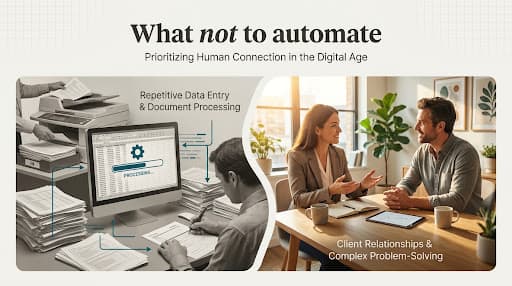
Most automation opportunities show up as familiar irritations. Someone copies customer details into three systems. An office manager checks a spreadsheet for late approvals. A team rebuilds the same document because the source information lives in several places. Together, these tasks keep capable people occupied with coordination.
Workflow automation is a way to move predictable work through a process with less manual effort. The technology can be simple. What matters is choosing the right work, understanding how it really happens, and setting clear boundaries.
What workflow automation actually does
A workflow has a trigger, a series of steps, decisions, and an outcome. Automation takes responsibility for some of those steps.
For example, when a complete and approved intake form arrives, a system could:
- check that required fields are present;
- create a record in the appropriate system;
- assign the record using an agreed rule;
- notify the person responsible for the next action;
- record when the handoff occurred.
The team still sets the requirements, approves unusual cases, handles exceptions, and owns the result. Automation carries the repeatable parts between those decisions.
AI can also support a workflow, but it is not a requirement. A conventional rule is often a better fit when the inputs are structured and the decision can be written clearly. AI becomes relevant when the work involves variable documents, natural language, classification, or drafting. It adds flexibility, but also adds uncertainty that must be tested and managed.
Find a good first candidate
The best first automation is rarely the biggest process in the business. It is a bounded workflow that matters enough to improve and is stable enough to understand.
Look for five qualities.
Frequent
The work happens often enough that friction accumulates. A task done once a year may be annoying, but automating it can cost more attention than it returns.
Repetitive
The same steps, fields, checks, or handoffs appear each time. Variation is manageable and can be described.
Rule-led
People can explain how routine cases should move forward. If every case requires a fresh interpretation, the work may need decision support rather than end-to-end automation.
Observable
You can see when the workflow starts, whether it finishes, and what a good result looks like. A process with no reliable record is difficult to test or improve.
Recoverable
If something fails, the team can spot it, correct it, and continue. A useful first project should not place the business in a position where one silent error creates serious harm.
A simple candidate list might include copying approved information between tools, sending reminders, producing standard documents from verified data, routing requests, checking for missing fields, or assembling routine reports.
Map the real process
You do not need a thick process manual. One working session with the people who do the job can be enough to create a useful first map.
Capture:
- what starts the workflow;
- the information required;
- the main steps and systems;
- the decisions people make;
- the most common exceptions;
- where work waits;
- what counts as complete;
- who owns the result.
Ask where people use a workaround. The unofficial spreadsheet, saved email template, personal reminder, or folder naming convention often reveals the gap between the intended process and the one keeping the business moving.
Then simplify. Remove a duplicate approval if it has no clear purpose. Agree on one source for a key field. Stop collecting information nobody uses. Clarify who decides when two departments both assume the other is responsible.
Automating a confusing process can make confusion move faster. A small amount of process repair creates a much better foundation.
Choose the simplest suitable approach
There are several ways to improve a workflow, and software is only one.
Clarify the process when the main problem is ownership, missing information, or inconsistent rules.
Use a standard feature when an existing tool already supports the required reminder, approval, template, or integration.
Connect systems with rule-based automation when information needs to move reliably between known steps.
Add AI to a bounded task when interpretation or drafting is necessary and the output can be evaluated before it causes an action.
The simplest suitable approach is usually easier to explain, test, recover, and maintain. That matters for a small team without a dedicated engineering department.
Design the controls before launch
An automation needs operating rules, not only a successful demo.
Decide who owns it. Make failures and overdue work visible. Set permissions so the workflow can access only what it needs. Keep a record of important actions. Define which cases must go to a person. Write down how the team pauses the workflow and completes urgent work manually.
For AI-supported steps, add a representative test set, acceptance criteria, confidence or escalation rules where appropriate, and human review for consequential outputs. Do not let an uncertain classification silently trigger an irreversible action.
Start with a limited release. Run the workflow with a small group or narrow case type. Compare the output with the old process. Listen to the people using it, especially when they say a “rare” exception happens every Tuesday.
Measure what changed
Before launch, record a baseline. The right measures depend on the problem, but they may include:
- active handling time;
- elapsed time from request to completion;
- number of corrections or repeated steps;
- incomplete or overdue items;
- exception volume;
- customer or staff wait time;
- operating cost;
- staff experience with the workflow.
Use more than one measure. Speed without quality is not improvement. Lower handling time with a growing exception queue may simply move work somewhere less visible.
Review results after the team has had time to use the new process. Check whether the measures reflect normal operating conditions, not only a carefully managed launch.
A practical first-workflow check
Before moving ahead, ask:
- Can we describe the trigger and result clearly?
- Are routine cases governed by stable rules?
- Have the people doing the work confirmed the map?
- Can we identify and route exceptions?
- Is the data reliable enough for the task?
- Can we detect, pause, and recover from a failure?
- Do we have a baseline and an owner for the measures?
If several answers are no, the next step is discovery and process repair, not more software.
What to take away
Small business automation works best when it begins with a specific piece of repeat work. Understand the actual workflow, make the rules clearer, choose the least complicated tool that fits, and keep people responsible for exceptions and outcomes.
The goal is not an automated business. It is a business where people spend less time carrying information between systems and more time doing work that needs their judgment.
Start with one workflow
Describe a repetitive process in plain language. You can explore where the friction sits without sharing passwords, customer records, or sensitive information.